
Your website reports trial sign-ups, Salesforce reports closed deals, and your campaign spreadsheet can't explain how they connect. You open the integration settings expecting a switch, then find instructions for Universal Analytics, a Salesforce connector that sends data in the opposite direction, and advice to upload records without explaining how they'll match.
A useful Google Analytics integration with Salesforce starts with a narrower question: where do you need the result? Bringing website behavior into Salesforce, sending qualified leads back to GA4, and building a combined revenue report are different jobs. Choose the route around that job, then design identity, validation, and consent before you automate anything.
Table of Contents
- Pick the Right Integration Method at a Glance
- How Google Analytics and Salesforce Connections Evolved
- How to Connect GA4 Data to Salesforce Step by Step
- Send Lifecycle Events from Salesforce to GA4
- Route Custom Objects Through a Warehouse
- Protect Privacy and Consent in Your Pipeline
- Confirm Your Path and Run a Test Lead
Pick the Right Integration Method at a Glance
Integration methods compared
| Method | Data direction | Best fit | Key limit |
|---|---|---|---|
| Salesforce Data 360 GA4 connector | Google Analytics to Salesforce, in batches | Teams bringing traffic metrics into Salesforce's data model | Marked beta; needs a GA4 property ID and OAuth credential |
| Legacy Sales Cloud connection | Salesforce to Universal Analytics 360 | Auditing an old Universal Analytics 360 implementation | Not available for GA4 properties; not a route for a new build |
| GA4 Measurement Protocol | Salesforce to GA4 through server-side events | Lifecycle outcomes that happen outside the website | Needs an API secret, sender-side deduplication, and retry handling |
| Data Import | Salesforce files to a supported Analytics import schema | Batch enrichment after validating the destination's schema | Legacy Salesforce import supported standard Lead and Opportunity objects only, not custom objects |
| Warehouse sync using BigQuery export and ETL | Both datasets into a warehouse, with optional downstream syncs | Custom objects and multiple pipelines | Requires engineering ownership, storage, queries, and maintained transformations |
| Marketing Cloud Engagement integration | GA4 metrics into Marketing Cloud Engagement, with audience workflows | Teams already using Marketing Cloud | Sampling and audience capabilities differ by Analytics tier and report |
For a small SaaS team that wants qualified leads or closed deals represented in GA4, Measurement Protocol is the starting route I'd evaluate first. It addresses the outbound event problem without requiring a warehouse. It doesn't, by itself, capture acquisition identifiers or preserve them through lead conversion.
Google's native Salesforce Sales Cloud connection belonged to Universal Analytics 360 and isn't available for GA4 properties, according to Google's Salesforce integration migration guidance. Moving to GA4 therefore doesn't automatically carry Closed Won revenue into attribution reports.
That guidance also describes a 500-upload-per-day limit for the legacy Salesforce import workflow, with support for standard Lead and Opportunity objects rather than custom objects. Don't apply those legacy restrictions as though they document every GA4 Data Import type. Validate the current destination schema before promising a file-based solution.
Choose the destination before the connector
Data 360 suits a Salesforce-side behavioral dataset. Marketing Cloud Engagement suits audience and journey work. A warehouse suits reporting that must accommodate custom relationships, not merely send an outcome event.
Before comparing traffic against pipeline, make sure everyone uses the same definition of a visit. Come Together Media LLC's guide can help your team understand sessions in Google Analytics, so nobody mistakes sessions for identifiable buyers.
Use this filter:
- Property: Are you implementing GA4, or auditing a discontinued Universal Analytics setup?
- Objects: Do standard leads and opportunities describe your business, or do custom objects carry essential relationships?
- Event location: Does the outcome happen on the website, inside Salesforce, or in a payment processor?
Your answers identify the first route. They don't imply that a single connector will handle every direction.
How Google Analytics and Salesforce Connections Evolved
The old connection worked like a pipe: Salesforce milestones flowed into Analytics and became goals. A modern implementation is closer to a shared address book, with explicit rules for recognizing records and deciding which information can move.
The distinction is easier to see visually.
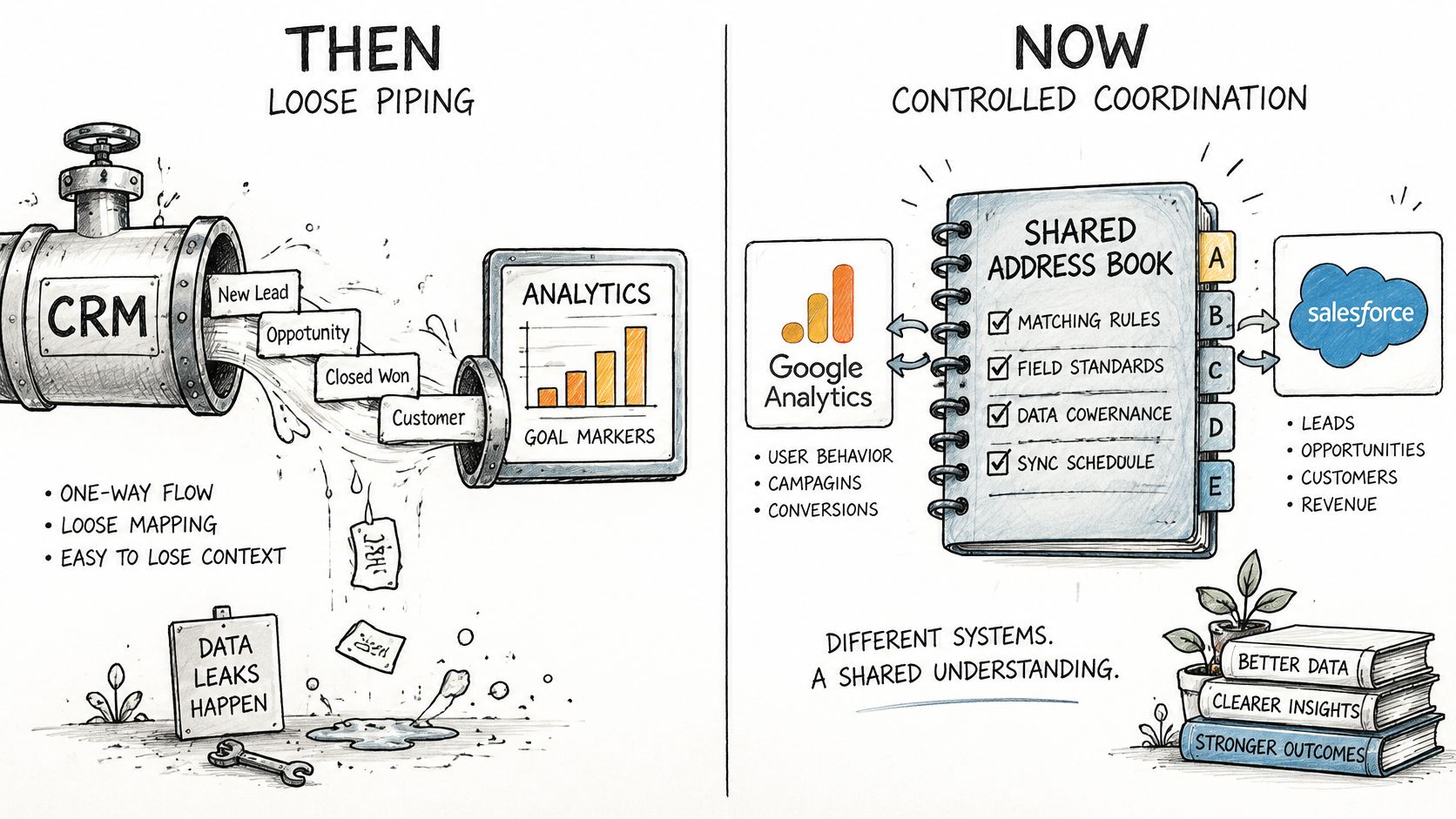
In the legacy workflow, teams authorized Sales Cloud, selected lead and opportunity milestones, and chose their import frequency. Google's Universal Analytics Salesforce documentation explains how an imported milestone such as “Closed - Converted” could become an event goal and be combined with web dimensions in segments.
That changed the question from “Which campaign generated a form submission?” to “Which campaign generated a lead that progressed?” The important part wasn't the pipe. It was the agreement about what counted as progress.
GA4 requires product-specific identity decisions
Salesforce's Marketing Cloud Engagement documentation describes support for free GA4 and Google Analytics 360, a persistent user ID across the systems when an audience is activated, and a tier distinction involving sampled reporting versus unsampled data and audiences. Treat that as a description of this integration's capabilities, not a claim that every free GA4 report is always sampled.
The shared campaign vocabulary also matters: campaign name, medium, source, content, and term can flow through Account Engagement into Salesforce. Those fields describe acquisition context; they aren't substitutes for an identity key.
For founders choosing lifecycle stages, designing a CRM for SaaS helps clarify what the integration should measure before anyone maps fields.
Use the accompanying video as another reference while reviewing your existing configuration.
A migration is complete when the reporting meaning survives, not when the connection turns green.
Audit the property type, identity handling, attribution fields, and sampling behavior before comparing old and new performance. Preserve useful business definitions, but rebuild property-specific goals, journey entry sources, and mappings rather than assuming they transferred.
How to Connect GA4 Data to Salesforce Step by Step
A batch connection brings Analytics data into Salesforce's data environment. It doesn't automatically attach every pageview to a lead or populate fields on an opportunity. Those results require an appropriate source grain, identity mapping, and a downstream transformation or activation.
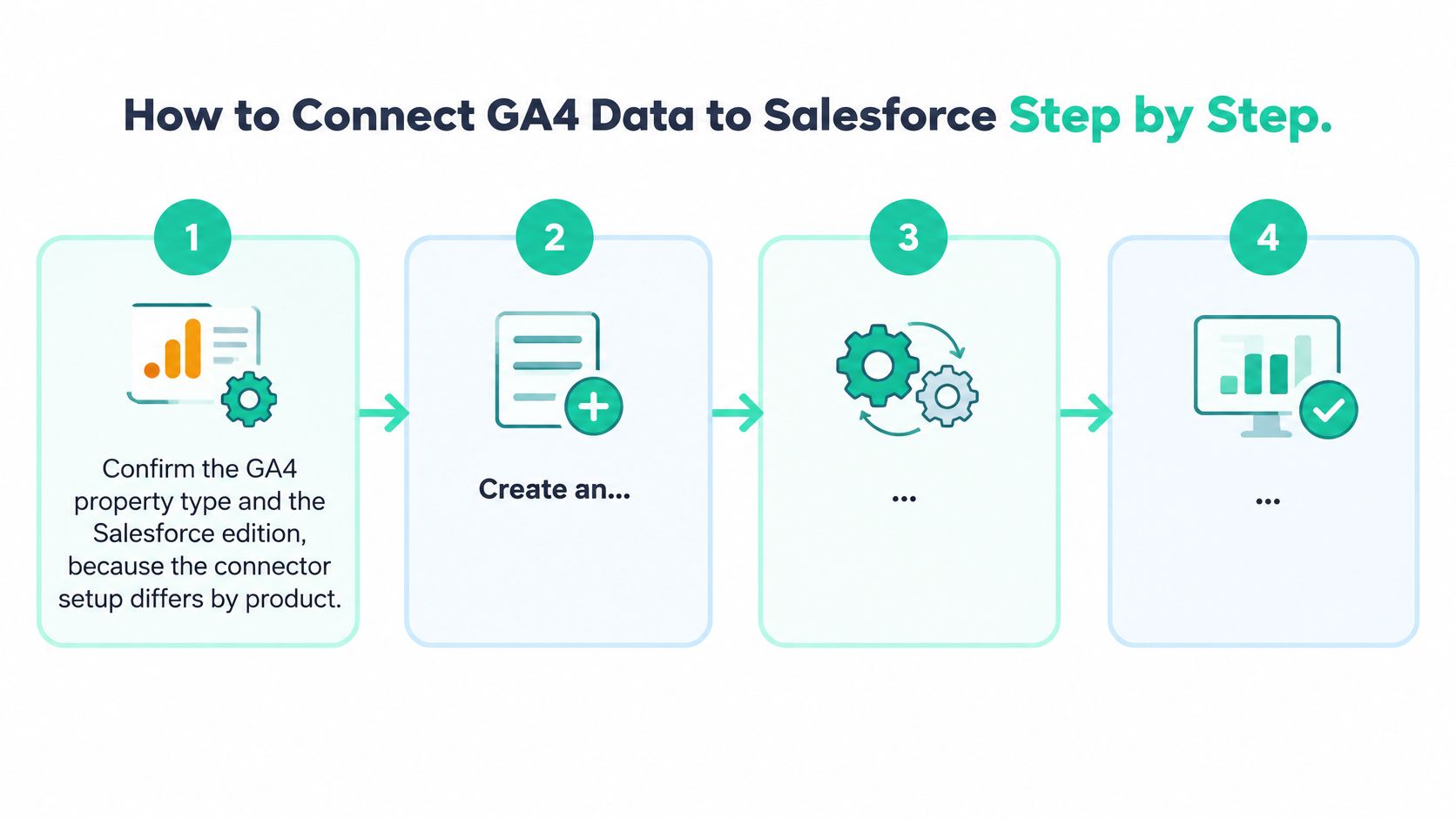
Salesforce's GA4 connection setup specifies a GA4 property ID, an OAuth/OpenID Connect-based external credential, and field mapping into Data Model Objects, or DMOs. Start with that supported ingestion path, then prove your joins separately.
Configure access and map the data
Confirm the GA4 property and Salesforce product. Record the property you'll read, the Salesforce edition and product you'll configure, and the permissions available to the integration owner. This prevents you from following Marketing Cloud instructions for a Data 360 deployment.
Create the OAuth-based external credential. Use authorized access rather than a shared employee login, and document who can renew or revoke it. Separate credential ownership from dashboard ownership so staff changes don't leave an unmanaged connection.
Enter the GA4 property ID. Check it against the intended environment before loading anything. A technically successful connection to the wrong property produces plausible but irrelevant reports.
Map incoming fields to DMOs. Identify the source dimensions and available metrics, such as sessions, users, pageviews, and relevant event data. Match the grain before joining: a campaign-level total mustn't be copied onto every lead and summed as though it were individual activity.
The process visual provides a configuration overview.
Prove identity before publishing reports
Choose a stable, non-PII join key. Define how an authorized behavioral identifier maps to the appropriate lead, account, or opportunity relationship. If the selected connector dataset doesn't expose that key at the necessary grain, keep the result aggregated or choose another route instead of manufacturing a person-level match.
Filter overlapping authenticated-user activity. Review activity arriving through Measurement Protocol User-ID sources and establish which source owns each event. Filtering should prevent duplicate or misattributed records without discarding legitimate activity merely because the user is authenticated.
Run a controlled batch and inspect a test lead. Compare the campaign source captured at signup, the relevant GA4 activity where identifiable, and the resulting opportunity relationship. Check unmatched records as well as successful joins, because silent exclusions can make a dashboard look cleaner than the implementation is.
Say a SaaS team wants to connect trial signup activity to opportunities. It should retain campaign context at signup, preserve the authorized identity relationship through conversion, and validate the opportunity join rather than expecting a signup-page metric to identify the buyer.
If you also want conversational access to Analytics during investigation, NotFair's Google Analytics connector for Claude is a separate reporting-access option to evaluate. It isn't a replacement for the Salesforce identity mapping.
The acceptance signal: the expected source appears in the intended Salesforce reporting surface within the configured batch window, and the join can be explained record by record.
Send Lifecycle Events from Salesforce to GA4
A "Qualified" stamp in Salesforce means nothing to GA4 until you turn it into an event with a name, parameters, and a delivery rule. Decide which transitions deserve an event and what each one carries before you build anything.
Lifecycle events to send and their keys
| Salesforce trigger | GA4 event name | Key parameter | Deduplication key |
|---|---|---|---|
| Lead status set to Qualified | lead_qualified |
pipeline_stage |
Internal record ID plus status change time |
| Opportunity created | opportunity_created |
source_campaign, derived from retained UTM values |
Opportunity ID |
| Opportunity stage set to Closed Won | deal_won |
deal_value and currency |
Opportunity ID plus stage |
| Payment confirmed by the processor | contribution_completed |
amount |
Payment confirmation ID |
These are proposed custom event names and sender-side keys, not a promise that GA4 automatically recognizes or deduplicates them. Keep raw operational keys in your delivery system unless you've explicitly approved their transmission.
A Salesforce status transition can trigger a server-side Measurement Protocol request authenticated with the data stream's API secret. Non-PII attributes such as industry or job role can enrich the event, but check each parameter against GA4's Measurement Protocol documentation before sending it as a custom dimension.
The event can then participate in reporting alongside website touchpoints, subject to valid identity, timing, consent, and reporting configuration. Sending an event isn't a guarantee of historical attribution.
Make delivery repeatable without double counting
Define the payload before building the trigger: event name, occurrence timestamp, allowed parameters, identity source, and consent state. Keep the API secret in protected server-side configuration, not browser code.
Use a persistent delivery log keyed by the business transition. Check that log before sending, record outcomes, and make retries reuse the same logical event identity. A custom deduplication parameter alone won't stop GA4 from counting repeated custom events.
Delivery rule: retry the delivery attempt, not the business action.
For a funding platform, project_viewed and checkout_started can originate on the website. Send contribution_completed server-side only after validating the processor's confirmation, not when the visitor merely reaches a thank-you page.
Choose whether a reopened and re-won opportunity represents a correction or a new outcome before launch. Otherwise, sales operations and marketing may count the same deal differently.
Use campaign performance tracking to define which outcome each report should answer. Reconcile delivery logs, Salesforce transitions, and payment confirmations weekly; GA4 is an analytical destination, not your transactional ledger.
Route Custom Objects Through a Warehouse
Say your Salesforce implementation uses Partner_Referral__c to connect referral partners, projects, and opportunities. A standard-object import won't represent that relationship adequately, and flattening it into a lead field would lose the history you need.
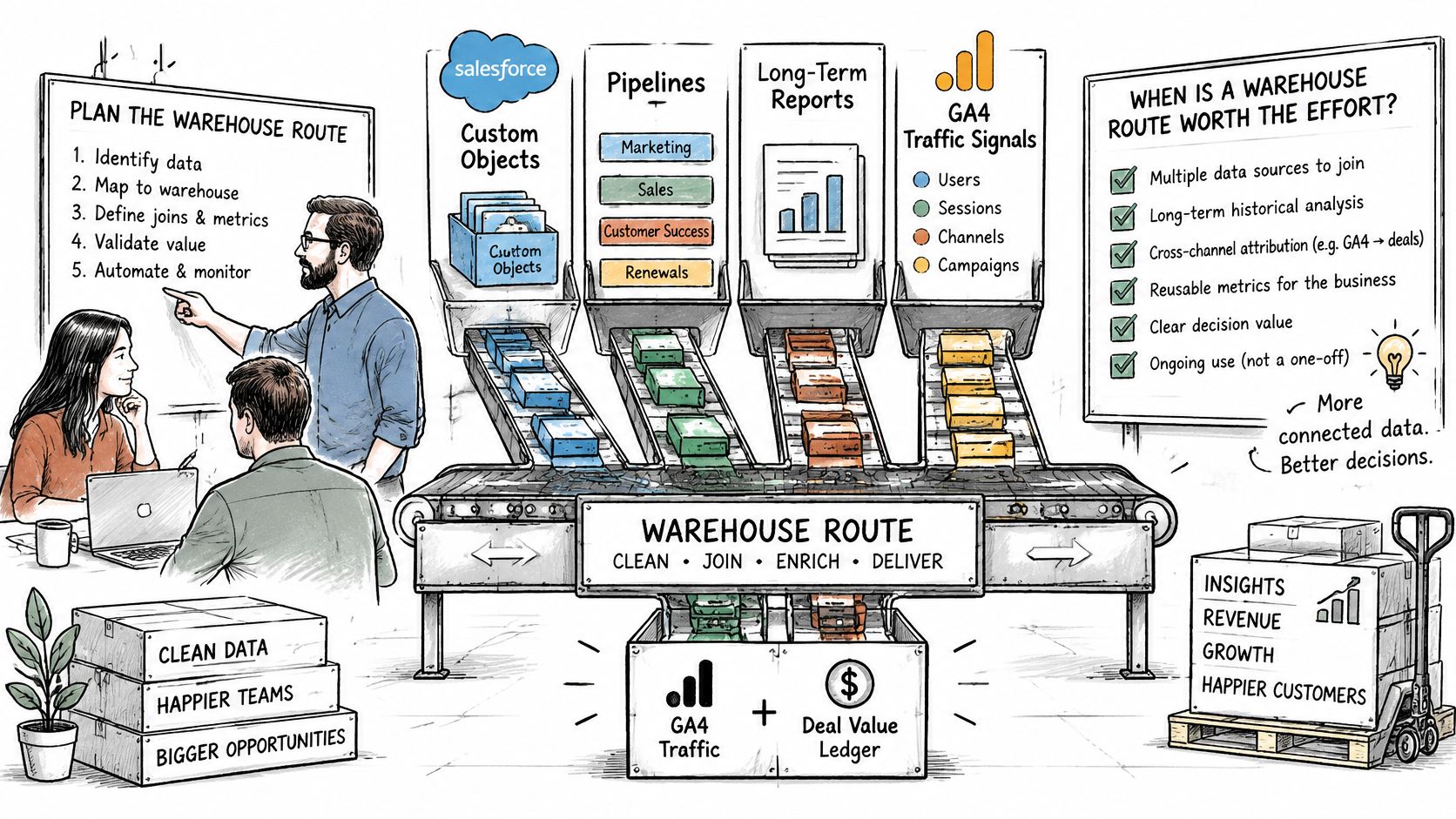
A warehouse gives you control over that model. You can bring GA4 exports into BigQuery, replicate the Salesforce objects through an ETL tool, and join approved identifiers in SQL. The benefit is a reporting model you own, not automatic two-way synchronization.
The pipeline needs separate collection, transformation, and reporting stages.
Decide whether the relationship justifies the build
The trade-offs are concrete: someone must maintain extraction, pay for storage and queries, test transformations, and respond when Salesforce administrators change fields. A warehouse with no named owner becomes another spreadsheet problem, only harder to inspect.
I wouldn't build one merely to send a Closed Won event. If standard objects and a supported batch or event route answer the business question, use the smaller implementation. Choose the warehouse when custom relationships, several pipelines, or historical analysis require it.
For a useful architectural comparison, The Social Search's discussion of reporting infrastructure for B2B outbound teams provides context for treating dashboards as downstream outputs of maintained pipelines.
Build a reporting model, not a raw-data dump
- Export GA4 activity: Configure the export and confirm which event and identity fields arrive before writing joins.
- Replicate required Salesforce objects: Include relationship fields and change handling, not just the visible report columns.
- Normalize campaign labels: Keep source, medium, campaign, content, and term distinct. Preserve original values alongside cleaned reporting values.
- Join approved internal keys: Test missing keys and one-to-many relationships. A referral linked to several opportunities can multiply revenue if the join is careless.
- Publish a governed reporting table: Define its grain, revenue treatment, refresh expectations, and business owner.
A broader approach to integrating data sources helps teams separate source collection from interpretation.
Don't approve a revenue dashboard until its owner can explain why each deal appears exactly where it does.
Keep attribution output separate from accounting totals. Marketing may allocate a deal across touchpoints; finance still needs the original deal value without duplication.
Protect Privacy and Consent in Your Pipeline
“Store the Client ID and send every Closed Won deal” is incomplete advice. An identifier that avoids a name or email can still identify someone through linked records, and hashing an email doesn't automatically make it acceptable for GA4.
GA4 prohibits personally identifiable information, while Salesforce's Analytics setup guidance highlights privacy and security configuration, including IP masking. Treat platform rules and applicable privacy obligations as separate checks.
What you can send and report by consent state
| Consent state | What you can send | Reporting to expect |
|---|---|---|
| Consent granted | Approved event data, permitted internal identifiers, and sanitized UTM values within the consent scope | User-level paths where identity and configuration support them, not guaranteed complete journeys |
| Consent denied | Only collection permitted by the applicable rules and configured consent behavior; don't send CRM identifiers to bypass refusal | Aggregate or modeled results where available and eligible, not individual paths |
| Deletion request | Process removal of relevant stored identifiers and applicable downstream deletion requests | Coverage may change; deleting IDs alone doesn't erase every previously aggregated report |
Consent denied doesn't mean you may invent “aggregate events” and send them anyway. Modeling depends on the implementation and eligibility, and may not be available. Salesforce may also retain operational records under a different permitted purpose, which doesn't authorize reusing them for Analytics attribution.
Use this checklist as a governance reminder, not as blanket permission to retain identifiers.
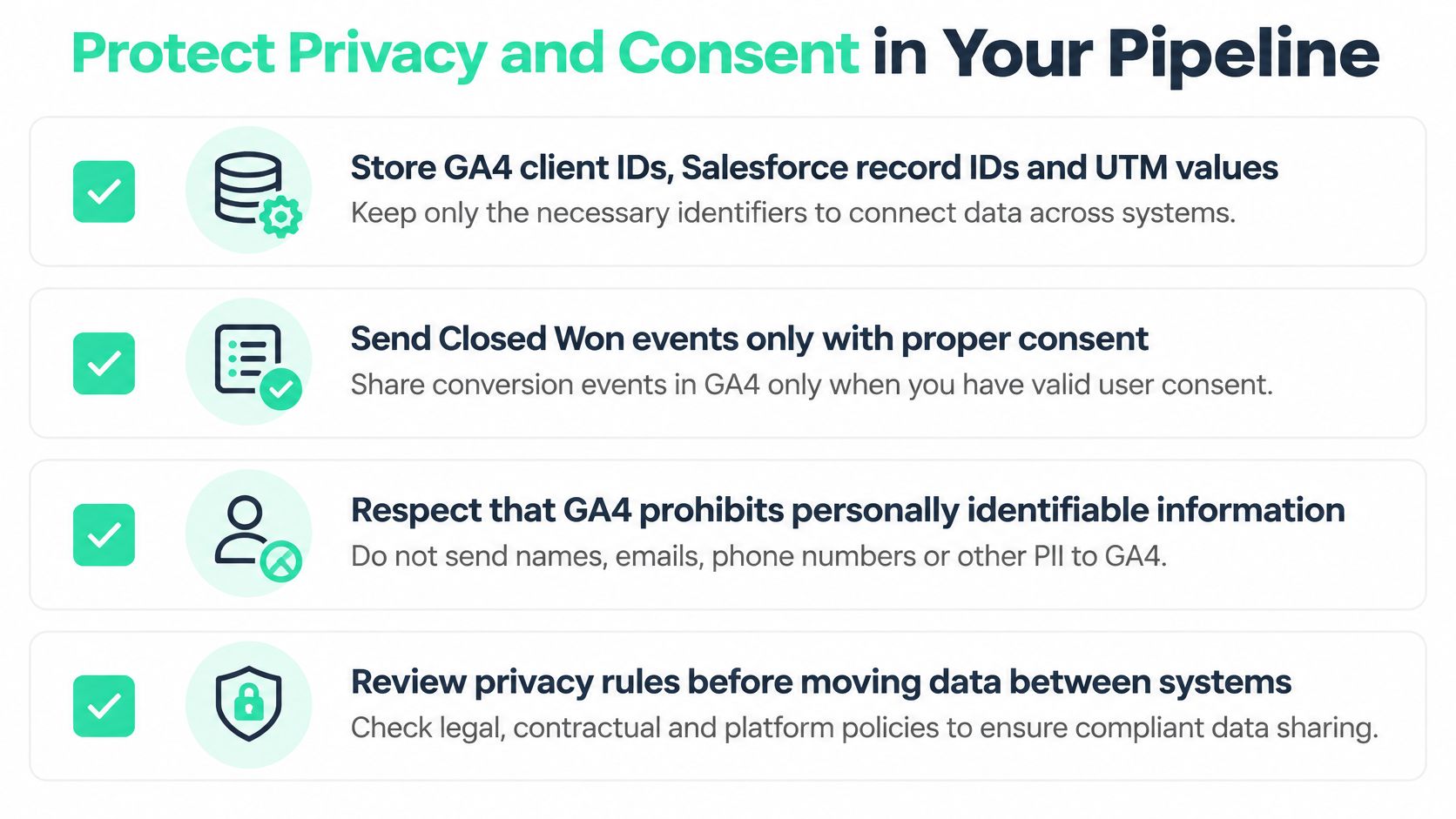
Assign ownership before retaining identifiers
- Inventory identifiers: Document each key, its purpose, permitted destinations, and owner.
- Set retention: Define how long attribution mappings remain necessary.
- Implement deletion: Cover Salesforce, the warehouse, delivery logs, and relevant Analytics processes.
- Review payloads: Inspect URLs and UTM fields for accidentally captured personal information.
- Explain reporting limits: Label unmatched or unobservable activity clearly.
A lower user-level match rate can be the correct privacy outcome. Don't ask engineers to recover visibility that visitors declined to provide.
Confirm Your Path and Run a Test Lead
Choose the first route that answers your actual reporting requirement:
- Legacy implementation: If your documentation still depends on Universal Analytics 360, plan the GA4 replacement rather than repairing a retired destination.
- Standard Salesforce lifecycle: Evaluate a supported Data Import schema for enrichment, and Measurement Protocol for new off-site outcomes. Don't assume file imports recreate historical conversions.
- Custom relationships: Use a warehouse when your reporting requires custom objects or cross-pipeline joins.
- Marketing Cloud workflows: Use the GA4 integration designed for Marketing Cloud Engagement.
- Salesforce-side behavior: Start with Data 360 when batch-ingested Analytics data is the required destination.
Run a controlled lifecycle test
Create a test lead through a tagged website journey, qualify it, and move its opportunity to a closed outcome. Use a sandbox or clearly labeled test process so the exercise doesn't pollute commercial reporting.
Inspect the retained campaign source, outbound event payload, delivery log, and opportunity result. Confirm the expected fields in each destination after its processing window, without demanding identical totals from systems that measure different things.
Repeat duplicate-event checks and identifier-match checks weekly. Segment the match check by consent eligibility so privacy-driven exclusions don't get classified as implementation failures.
Write down the decision before rollout: the route you'll build first, the person responsible for its operation, and the owner of the consent review. Expand only after that owner can explain a test lead end to end.
Fundl lets creators connect revenue, build activity, and audience signals to a shareable page of live, source-verified traction. Visit Fundl to show backers evidence from your connected accounts, while keeping private visitor-level attribution inside your governed reporting systems.